01
Download and load
Download the zip, unzip it, open `chrome://extensions`, enable Developer mode, click `Load unpacked`, and select the unpacked folder.
A small Chrome extension that shows a leaderboard right inside the race room, so choosing a race feels faster and clearer.
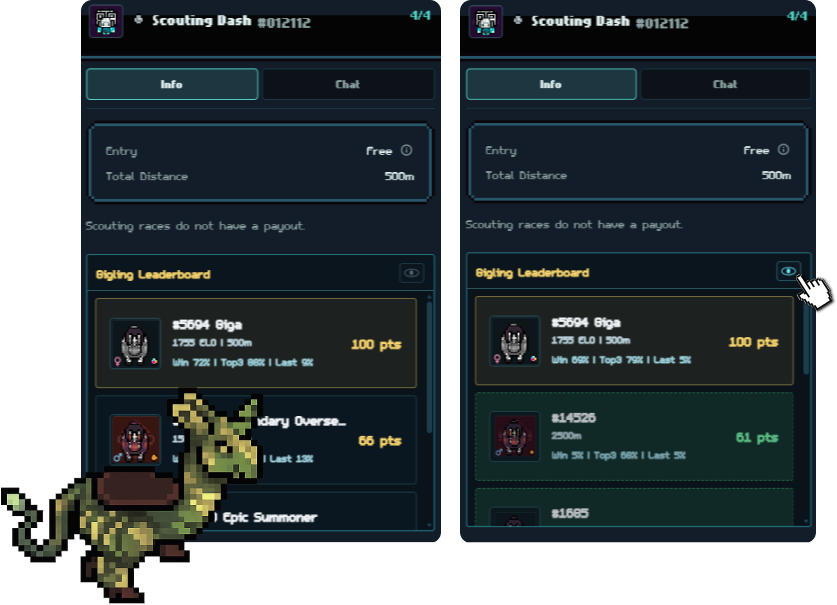
The extension is local-first for now: load the `giglings` folder in Chrome or Edge and use it directly on Gigling Racing.
Download the zip, unzip it, open `chrome://extensions`, enable Developer mode, click `Load unpacked`, and select the unpacked folder.
Open your Giglings pets page once so the extension can read your owned pets and keep them ready for race rooms.
Go to Gigling Racing, open a race room, and let the extension scan visible pets and tooltips.
Use the sidebar leaderboard to compare projected scores, context, and your owned pets without leaving the room.